Slides#
Some pointers and resources for making good slides.
Slide decks are used for different purposes, keep your audience and the purpose of the presentation in mind when making your slides:
- Lecture: Most slide decks you see as a student (i.e., lecture slides) are a bad example of how to make good slides. They are often dense (so students can use them as learning aid) and instructors stick close to the slides during the lecture. This is not a good format for most other types of presentations.
- Thesis defense: The slides should be a summary of the thesis, they should contain the main points and results of the thesis, as well as visuals to support the presentation.
- Conference talk: The slides should be more self-contained, as the audience may not have the same background knowledge as in a lecture.
- Pitch deck: The slides should be concise and visually appealing, they should contain the main points of the pitch and visuals to support the presentation.
General tips#
- Avoid dark backgrounds with light text for high stake presentation, weak projectors and uncertain lighting conditions might make them impossible to read.
- Put slide numbers, people will refer to them when asking questions.
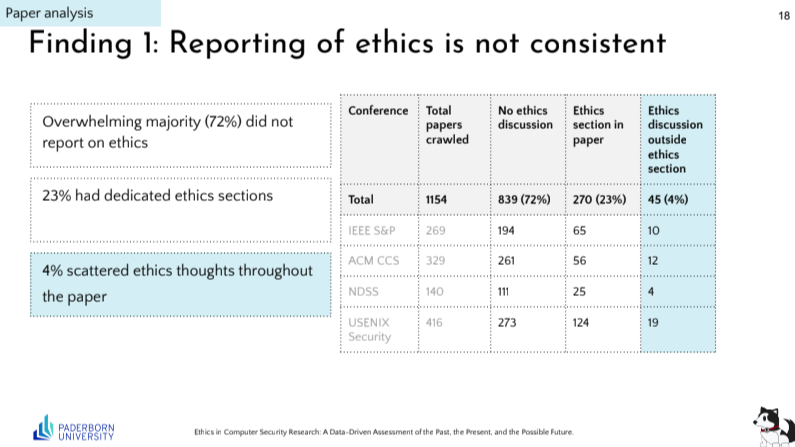
- If you talk about specific cells / columns / rows in a table, highlight values in the table, or use an arrow to point to them.
- As last slide, don’t just put “Thank you”. This slide will be on the screen during the Q&A, so put something useful there, like a summary of the main points and your contact info.
- Almost always no flow text on the slides, use bullet points and visuals to support your presentation.
- Don’t read off the slides, use them as a guide for your presentation, and add more information in your speech.
Templates#
TODO: Add the group drive link for slide templates.
Specific Presentation Types#
Conference#
- If you put the authors list on the first slide, make sure to highlight your name (presenters name) in the list, so people know who you are. Commonly done with an asterix, but you can also use bold or a different color.
- State your research questions
- On the last slide, put a summary of the main points and your contact.
- Mention in beginning and/or end if you are / will be on the (academic) job market.
PhD Exams#
In general:
- Slide numbers!
- Follow standard thesis structure (intro, rel work, methods, results, discussion)
- Slide (or voice over) for your personal context; year, advisor, affiliations, etc.
Written Exam Presentation#
- Have an early slide that outlines what you did (e.g., interviews with X developers in the context of Y), i.e. don’t bring this first up in the methods.
- Slide for your research questions (and maybe what you did to answer them).
- Don’t put too much detail in the methods, focus on the main points and the results. You can always go into more detail during the Q&A if needed.
Oral Exam Presentation#
Specific Slides, most of those also apply to the defense presentation:
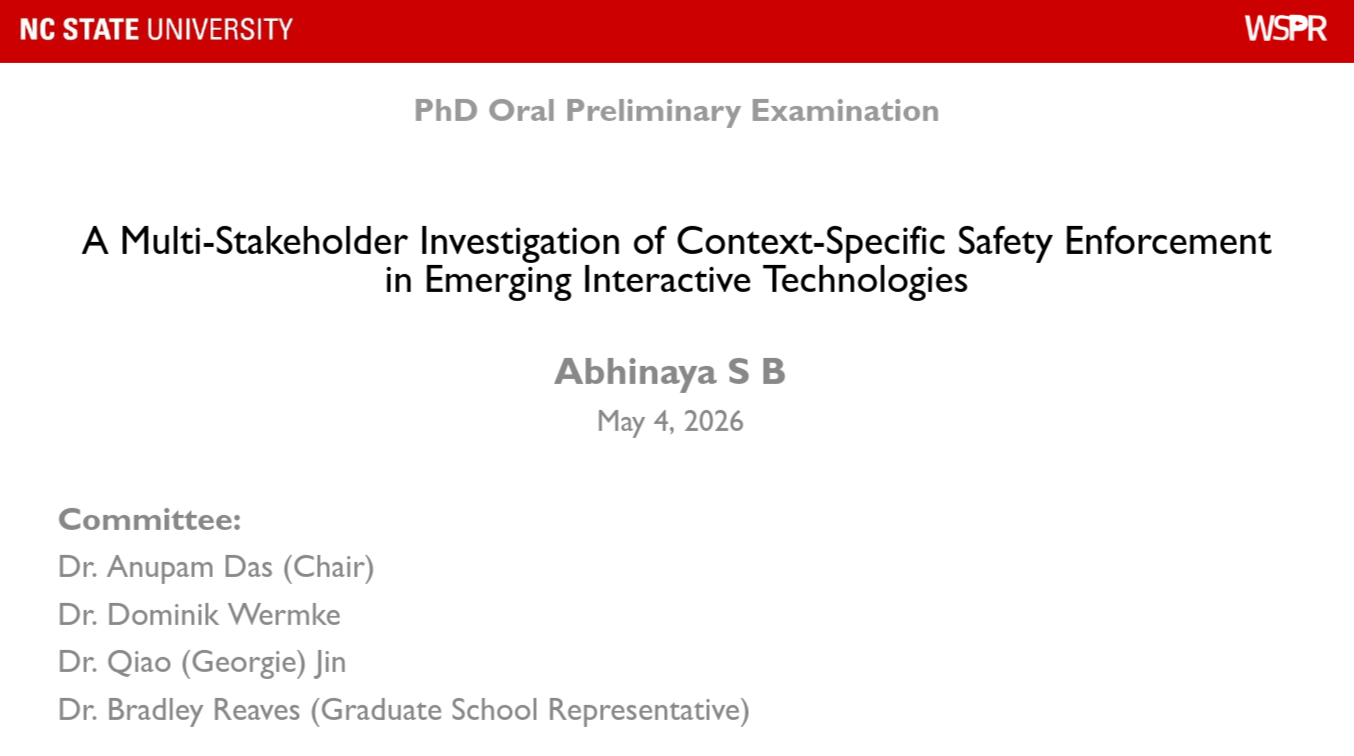
- Cover: Put type of exam, (future) thesis title, your n name, and at least advisor (or whole committee).
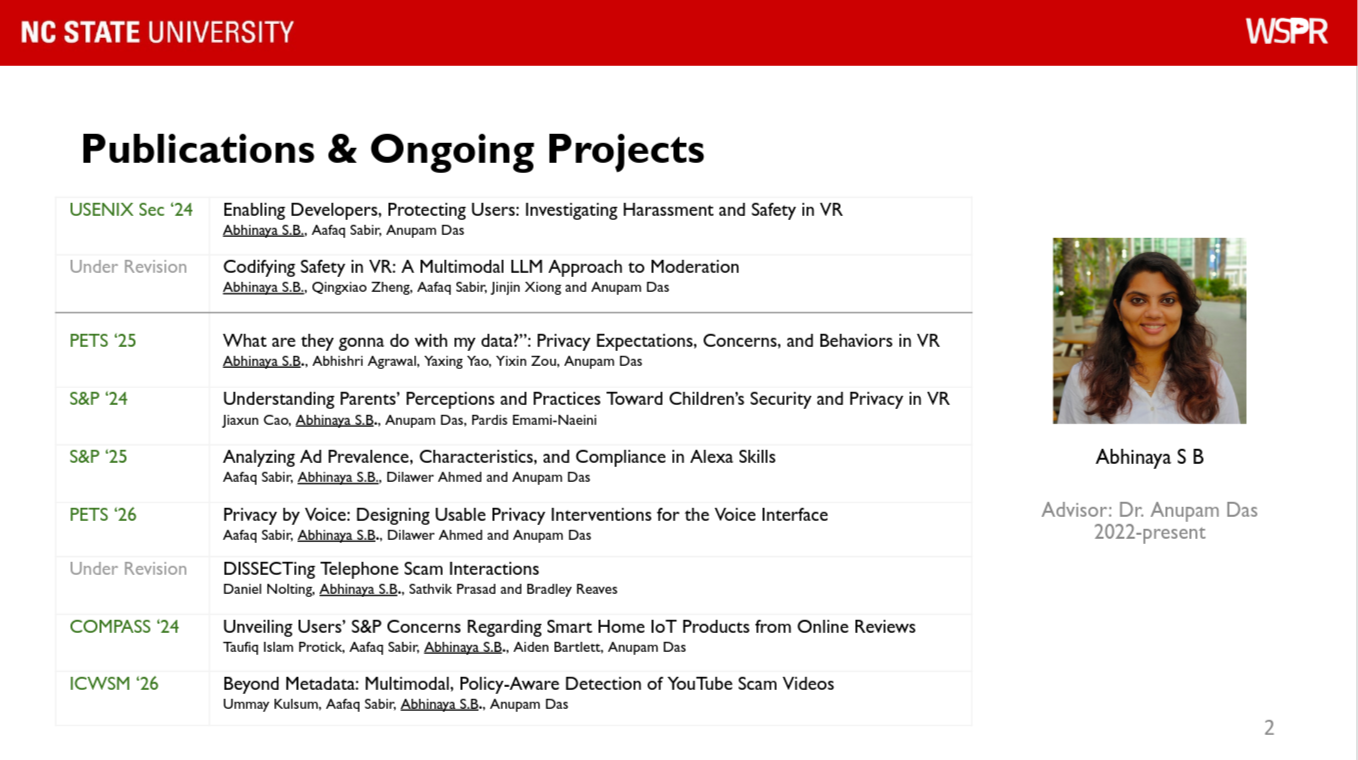
- Early slide with publications & context
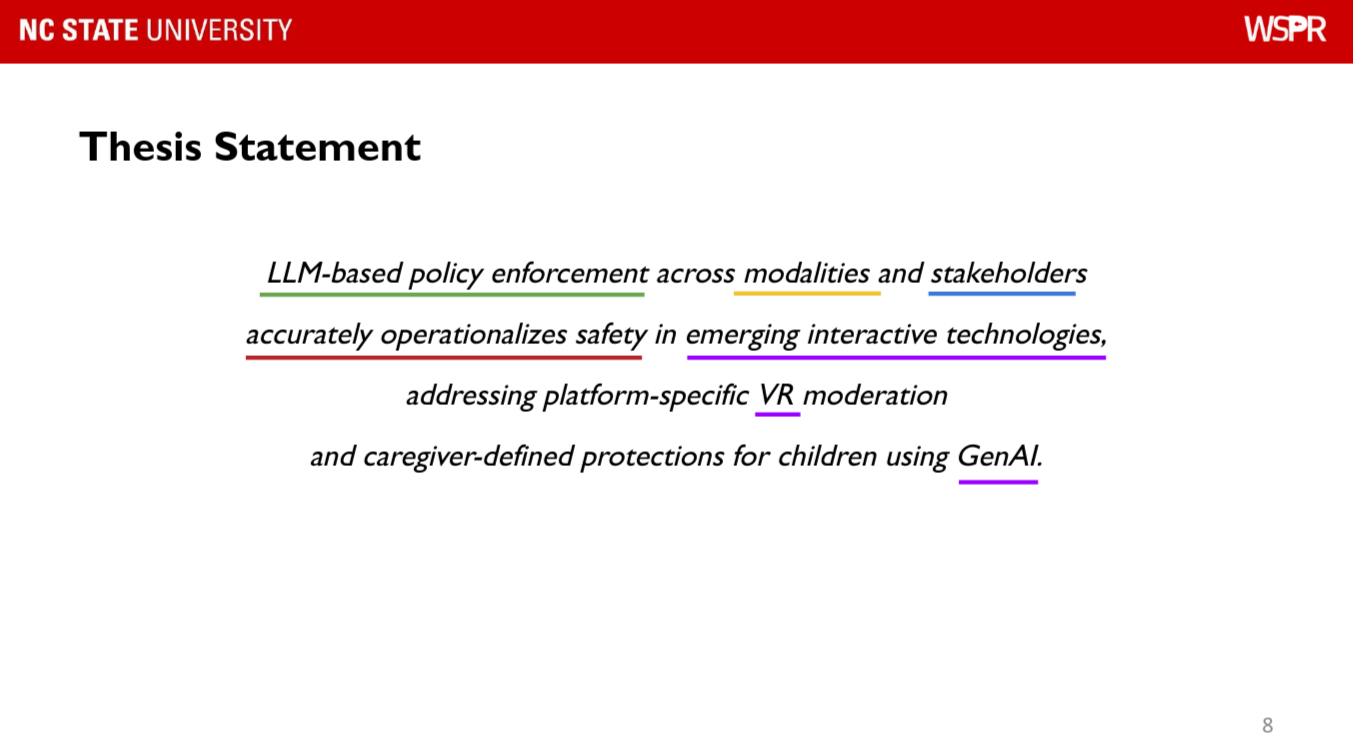
- Slide for your thesis statement, breaking it up with colors, annotations, or on voiceline.
- Slide with the publications that will make up your thesis and current state (under submission etc.). Can also be shown before each part for context / structure.
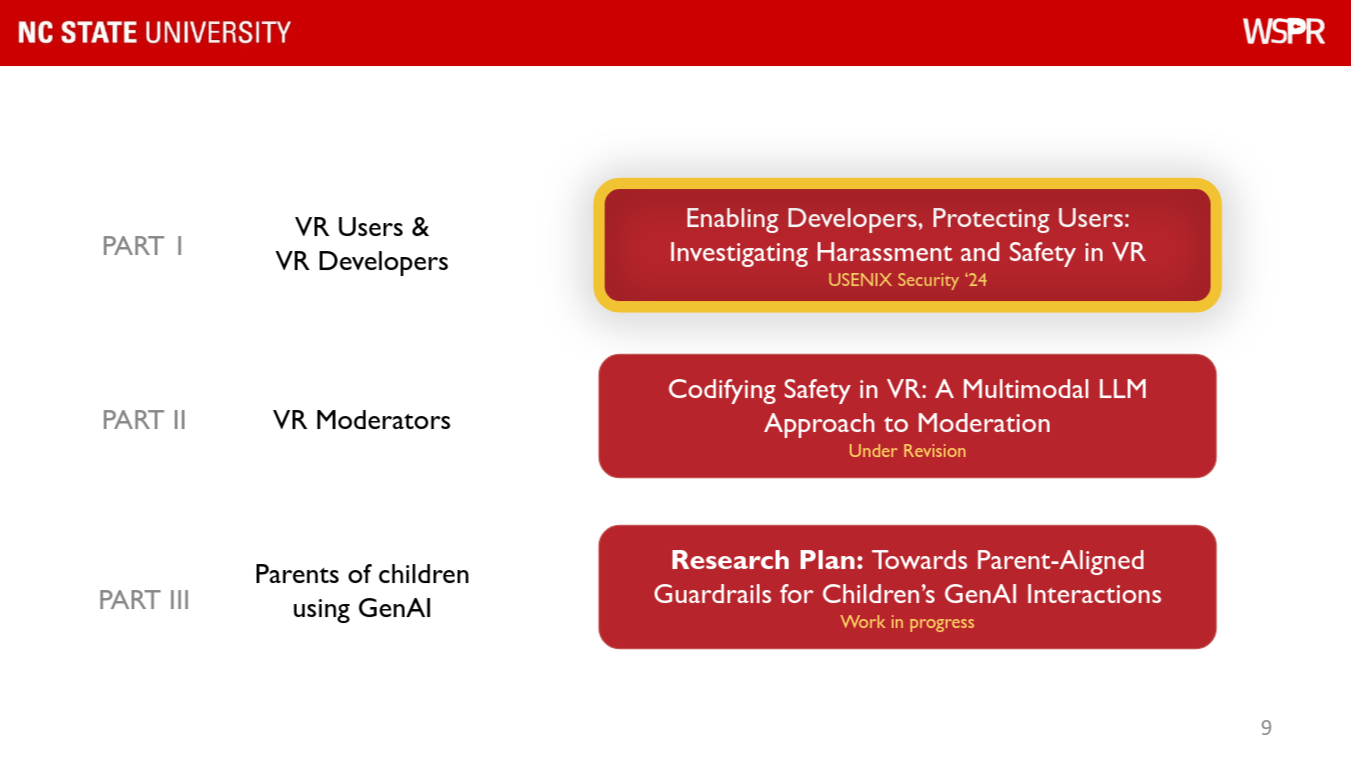
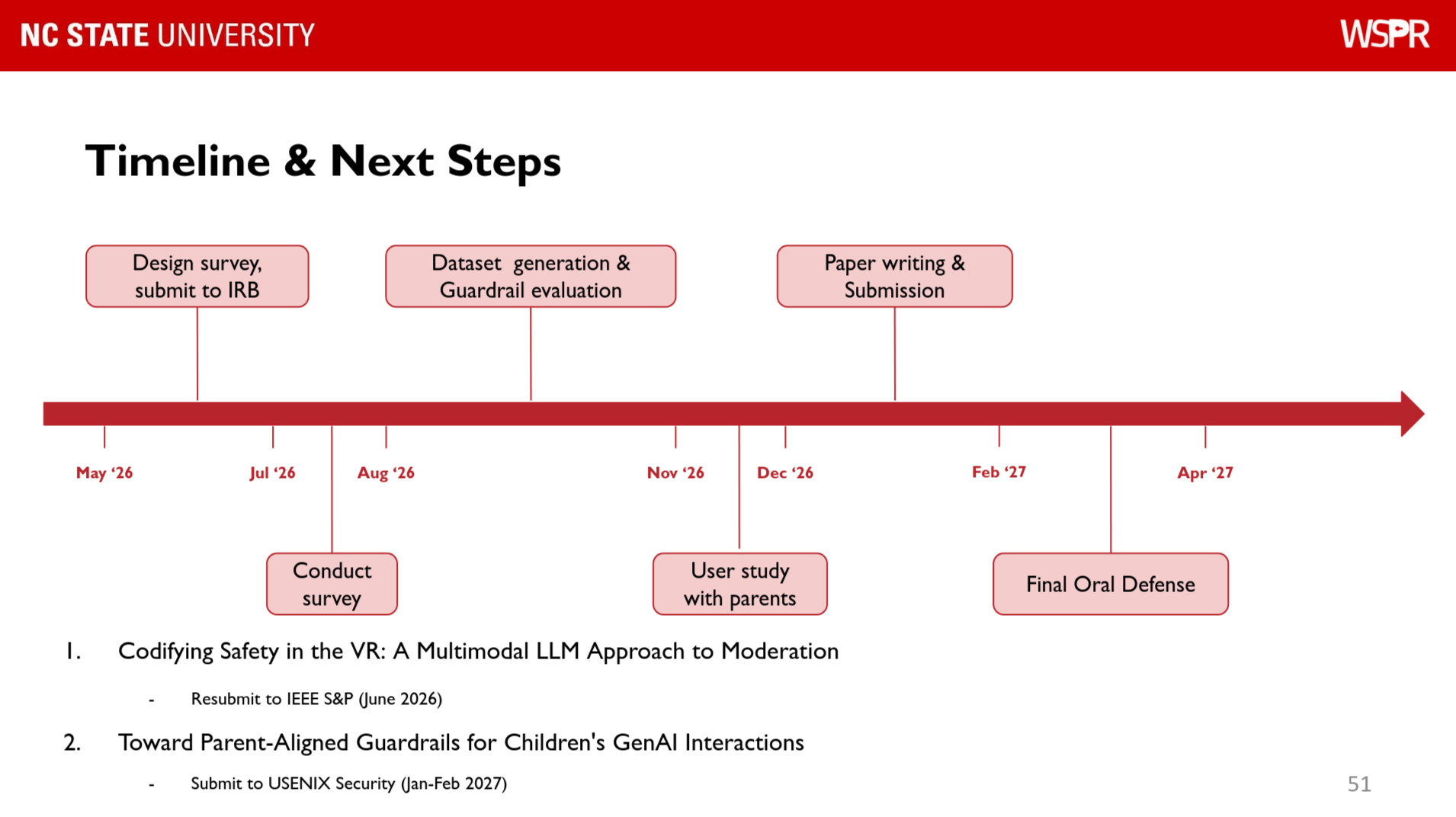
- Timeline towards the end, including planned submissions and thesis plans.
Defense Presentation#
- Cover: Put type of exam, thesis title, and at least advisor (or whole committee).
Slide Inspirations#
- Nice way to discuss tables, 3 themes on the left, highlighted values in the table to match while stepping through each theme (screenshot from just the 3rd theme).
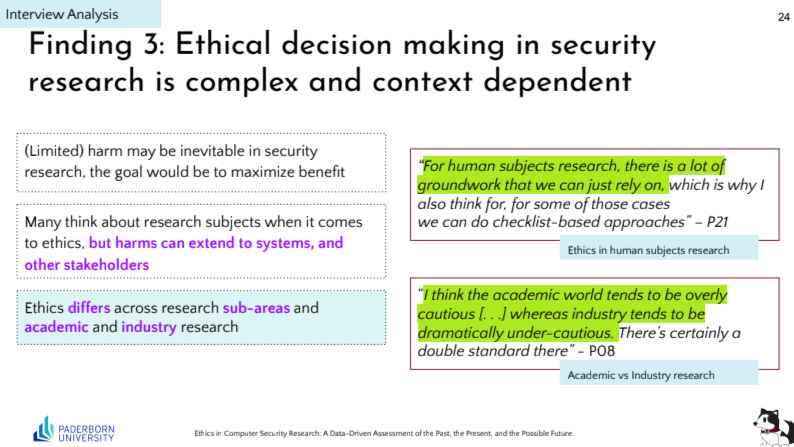
- For themes / participant quotes: stepping through themes on the left while showing quotes with highlighting on the right.